The desktop app reads the file locally.
Imports, parsing and incident detection all run on your Mac or PC. If you opt in to Cloud AI for a specific incident, that incident’s messages are sent to OpenAI as written, names included.
Your attorney asks for everything from the last six months. You have eighteen months of iMessage, a Gmail folder and four thousand screenshots. Four stages sit between those two facts, and the first three run in this browser and on your phone.
No install and no card. Drop a real export into Message Review and the analysis runs while you watch. Everything in this movement you can do the same day you decide to start.
You ask the app your co-parent uses for your own export, then hand the file over once. You do not re-type anything, and you do not screenshot anything.
Imports, parsing and incident detection all run on your Mac or PC. If you opt in to Cloud AI for a specific incident, that incident’s messages are sent to OpenAI as written, names included.
The browser has to send the file to be read, so Message Review says so plainly: your upload is deleted within 24 hours unless you send the report to your phone, and we never record the file name.
Start a Message Review. No account required to start.
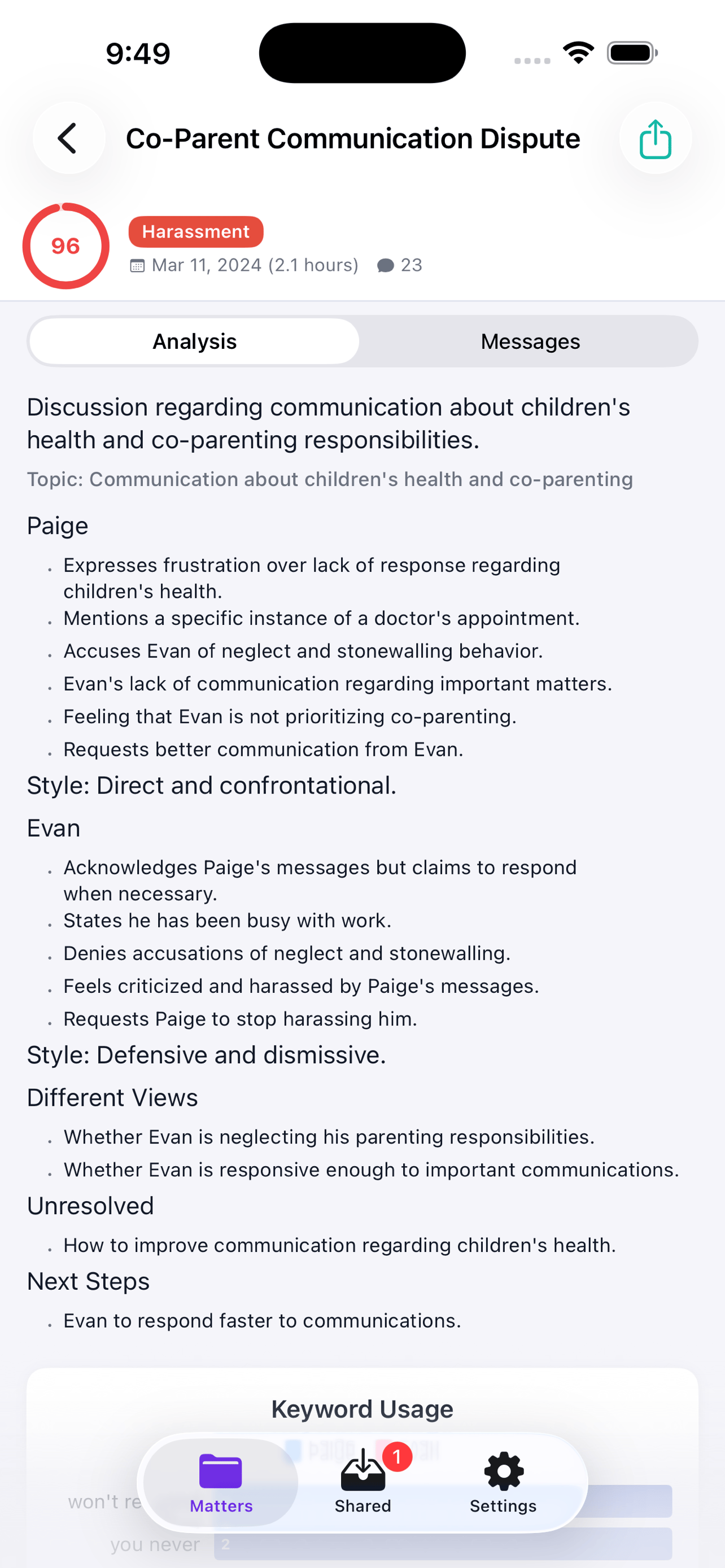
A sample incident report from a demo case, with illustrative names.
Patent-pending keyword categories drawn from family law literature and Gottman’s relational research, so the weeks that matter surface without you re-reading every message. The same Incident Finder runs in Message Review and in the desktop app; the Message Checker uses its categories plus an AI second opinion. Methodology is documented in the white paper.
Send the report to your own phone and open it behind a passcode. Send the same report to your attorney and they read it in the free iPhone app: every message, every incident, every PDF, searchable, with no subscription to view.
Free to view, behind a passcode, encrypted.
The iPhone app is a reader. It opens what you sent it, offline and read-only, and it never re-uploads anything.
A report you save is yours to reopen on your other devices, instead of living in one browser tab you are afraid to close.
Lite is Import, Analyze and Share. The Export to evidence is Evidence Edition.
Drop an export into Message Review in this browser. No account and no card, and the top incidents come back written up. A free account raises how many you get.
Open Message ReviewEvery incident in your report written up, every message inside it readable, the report on your phone and with your attorney. The months before.
See what Lite includesThe export to evidence itself, from the desktop app, in the month the record is due. Month-to-month, so it is one month and not eighteen.
See what Evidence Edition includesMonth to month, cancel anytime. What you import stays on your computer after any paid month ends, and Free keeps one Matter open.
When the record is due, the work moves to the desktop app. Every source and every month goes into one Matter, so the eighteen months read as one continuous record instead of six folders that each start over.
iMessage, Gmail and the co-parenting app import in the background and land on one timeline, grouped by person and charted by week. Nothing is renamed, and nothing is retyped.
By default, your data stays on your machine.
Quick Print, Family Law Standard or Forensic: the package builds itself.
The app re-hashes each file against its original SHA-256 before export. If a byte changed, you know.
A qualified signer executes the FRE 902(14) certification template electronically. No print, scan and email round trip.
Notes only ship if you include them. Each export lists exactly what it contains before you save it.
Every import and export action is recorded in two locations with regular backups, and can be exported as its own exhibit.
An export supports self-authentication when signed by a qualified person. What a court will do with it is the court’s call, and the rules differ by jurisdiction. How FRE 901 and 902 apply.
No. Import, Analyze and Share run in Message Review in your browser and on your phone, with no account and no card for the first run. The export to evidence comes from the desktop app on Mac or Windows, in the month you build the record.
You keep all of it. Every matter, every message, every export stays on your machine, whether you cancel Evidence Edition Lite or Evidence Edition. You drop back to Free tier limits for new imports but you don’t lose anything you’ve already built.
No. CustodyComms is an organization tool. It does not provide legal advice and is not a substitute for an attorney.
Every export is a standard PDF plus CSV and a SHA-256 manifest. Any family law attorney can review it without installing the app.
Notes are yours unless you choose to include them in an export. Each export lists exactly what it contains before you save it.
A documented record of how each message was imported, processed, and exported, including SHA-256 hashes and timestamps. It supports authentication under FRE 901 and FRE 902(14).
Yes. CustodyComms reads OFW, TalkingParents, AppClose, coParenter, WhatsApp, Messenger, iMessage, Android, Gmail, and Outlook.
CustodyComms does not provide legal advice. If you are self-represented, we strongly encourage consulting an attorney or legal aid organization before a hearing.
Cloud AI analysis, the free sample analysis on this site, and the chat assistants are available in the United States and its territories, Canada (except Quebec), Australia and New Zealand only. Work you do on your own computer in the desktop app — importing messages, building your timeline, reviewing incidents and exporting them — is not restricted by where you are, and neither is downloading the app or managing your subscription.
Drop an export into Message Review and see what your own messages show. Pay for the export in the month you need it, not for the eighteen months before it.
